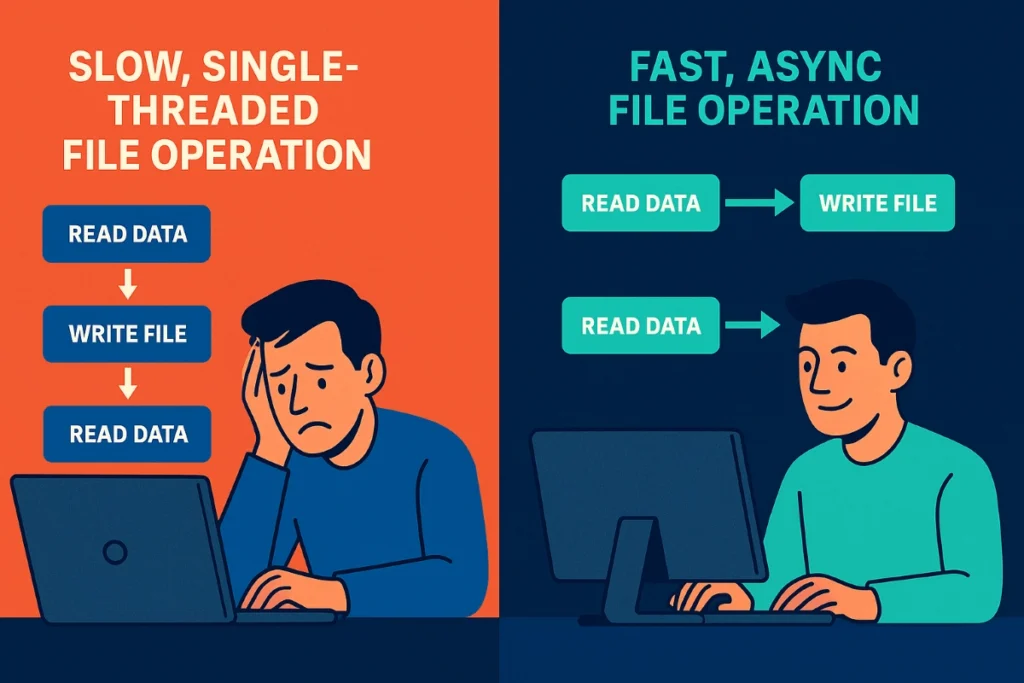
Today, we’re diving deep into two game-changing strategies that can revolutionize your file I/O performance: asynchronous operations and write queuing. These aren’t just theoretical concepts—they’re battle-tested techniques that can make your applications fly.
Why File I/O Performance Matters More Than Ever
Before we jump into solutions, let’s acknowledge the elephant in the room: why is file I/O so painfully slow, and why should you care?
In our data-driven world, applications are writing more information than ever before. Whether it’s logging user interactions, saving configuration changes, or processing uploaded files, every millisecond of delay compounds into a user experience nightmare. The reality is that traditional synchronous file I/O operations can be 1000x slower than in-memory operations.
Here’s what happens in a typical synchronous file write:
- Your application requests a file write
- The operating system queues the operation
- The disk controller processes the request
- Physical disk mechanics engage (for traditional HDDs)
- Data gets written to storage
- Confirmation travels back up the stack
- Your application finally continues
During this entire process—which can take anywhere from milliseconds to seconds—your application is essentially frozen, waiting for the disk to catch up. This is where the pain really hits: every user request that involves file I/O becomes a potential bottleneck.
Boosting File I/O Performance with Asynchronous Operations
What Makes Async I/O a Game-Changer
Asynchronous file I/O performance optimization is like hiring a personal assistant for your application. Instead of standing around waiting for the disk to finish its work, your application can continue processing other tasks while file operations happen in the background.
Think of it this way: imagine you’re a chef in a busy restaurant. With synchronous operations, you’d start cooking one dish, then stand there doing absolutely nothing until it’s completely done before starting the next one. With asynchronous operations, you can have multiple dishes cooking simultaneously, checking on each one as needed.
How Async Operations Transform File I/O Performance
When you implement asynchronous file operations, several powerful things happen:
Non-blocking Execution: Your main application thread never stops to wait for disk operations. While one file write is happening, your application can process user requests, handle network calls, or perform calculations.
Improved Throughput: By parallelizing I/O operations, you can often achieve 5-10x better throughput compared to synchronous approaches, especially when dealing with multiple concurrent file operations.
Better Resource Utilization: Instead of having CPU cores sitting idle while waiting for disk operations, async I/O allows your system to maximize both CPU and I/O resources simultaneously.
Here’s a conceptual example of how this works:
# Synchronous approach (blocking)
def process_user_data(users):
    for user in users:
        save_user_profile(user)  # Blocks here
        send_welcome_email(user)  # Blocks here
        log_user_activity(user)   # Blocks here

# Asynchronous approach (non-blocking)
async def process_user_data_async(users):
    tasks = []
    for user in users:
        tasks.append(save_user_profile_async(user))
        tasks.append(send_welcome_email_async(user))
        tasks.append(log_user_activity_async(user))

    await asyncio.gather(*tasks)  # All operations run concurrently
The Real-World Impact on File I/O Performance
In my experience optimizing systems across various industries, implementing async file I/O has consistently delivered remarkable results. I’ve seen web applications go from handling 100 concurrent users to supporting over 1,000 users with the same hardware, simply by making file operations asynchronous.
The key insight is that most applications spend more time waiting for I/O than actually processing data. By eliminating that waiting time, you unlock your application’s true potential.
Queuing Writes for Optimal File I/O Performance
Understanding Write Queues and Buffering
While asynchronous operations solve the blocking problem, write queuing takes file I/O performance optimization to the next level. Think of write queuing as creating a smart traffic management system for your file operations.
Instead of immediately writing every single piece of data to disk, you collect writes in memory and then flush them to disk in optimized batches. This approach leverages a fundamental principle: disk drives are much more efficient when handling larger, sequential writes rather than many small, random writes.
How Write Queuing Dramatically Improves File I/O Performance
The magic of write queuing lies in its ability to transform your I/O pattern from inefficient to optimal:
Reduced Disk Seeks: Instead of the disk head jumping around for individual writes, batched writes allow for more sequential access patterns, which are orders of magnitude faster.
Minimized System Call Overhead: Each individual write operation requires a system call, which has overhead. Batching reduces the total number of system calls dramatically.
Better Disk Utilization: Modern storage devices (especially SSDs) perform much better with larger write operations due to their internal architecture and wear-leveling algorithms.
Improved Concurrency: While writes are being queued in memory, your application can continue processing requests without waiting for disk I/O to complete.
Here’s how a write queue might work conceptually:
class WriteQueue:
    def __init__(self, batch_size=1000, flush_interval=5.0):
        self.queue = []
        self.batch_size = batch_size
        self.flush_interval = flush_interval
        self.last_flush = time.time()

    def add_write(self, data):
        self.queue.append(data)

        # Flush if we hit our batch size or time limit
        if (len(self.queue) >= self.batch_size or
            time.time() - self.last_flush > self.flush_interval):
            self.flush_to_disk()

    def flush_to_disk(self):
        if self.queue:
            # Write all queued data in one efficient operation
            batch_write_to_file(self.queue)
            self.queue.clear()
            self.last_flush = time.time()
In production systems, write queues are often offloaded to high-speed, in-memory data stores like Redis, which act as a buffer between your application and the disk. This ensures durability, allows decoupled write operations, and enables horizontal scaling without bottlenecks.
Balancing Performance and Data Safety
A common pitfall when implementing write queues is forgetting about the trade-offs. While queuing writes dramatically improves file I/O performance, it does introduce some risk: if your application crashes before flushing the queue, you might lose data that was still in memory.
The solution is to implement smart flushing strategies:
Time-based Flushing: Automatically flush the queue every few seconds to minimize potential data loss.
Size-based Flushing: When the queue reaches a certain size, flush it immediately to prevent memory issues.
Critical Data Immediate Writes: For absolutely critical data, bypass the queue and write immediately.
Graceful Shutdown: Always flush pending writes during application shutdown.
Practical Implementation Strategies for Maximum File I/O Performance
Choosing the Right Approach for Your Use Case
Not all file I/O scenarios are created equal. The optimal strategy depends on your specific requirements:
High-Frequency Logging: Perfect for write queuing. You can batch thousands of log entries and write them efficiently.
User-Generated Content: Ideal for async operations. Users don’t need to wait for their uploads to be processed.
Configuration Changes: May require immediate writes for consistency, but can still benefit from async confirmation.
Database-like Operations: Often benefit from a hybrid approach combining both techniques.
Measuring and Monitoring Your File I/O Performance Improvements
Once you implement these optimizations, you’ll want to measure their impact. Key metrics to track include:
Throughput: Operations per second before and after optimization Latency: Average time per operation Resource Utilization: CPU and disk usage patterns Queue Depth: For write queuing, monitor queue sizes to prevent memory issues
Common Implementation Pitfalls to Avoid
Through years of optimizing file I/O performance, I’ve seen several recurring mistakes:
Over-Queuing: Making your write queue too large can lead to memory issues and increased data loss risk during crashes.
Under-Batching: Flushing too frequently negates the benefits of queuing.
Ignoring Error Handling: Async operations can fail in complex ways. Always implement robust error handling and retry mechanisms.
Forgetting About Disk Space: High-performance writes can fill up disk space quickly. Monitor available space and implement appropriate safeguards.
Advanced Techniques for Elite File I/O Performance
Combining Async and Queuing for Maximum Impact
The real magic happens when you combine asynchronous operations with write queuing. This hybrid approach gives you the best of both worlds:
- Non-blocking operations keep your application responsive
- Batched writes maximize disk efficiency
- Parallel processing handles multiple queues simultaneously
Memory-Mapped Files for Extreme Performance
For applications dealing with large files, memory-mapped I/O can provide another significant performance boost. This technique allows the operating system to handle the complexity of caching and writing data, often resulting in better performance than traditional file I/O methods.
Platform-Specific Optimizations
Different operating systems offer unique opportunities for file I/O performance optimization:
Linux: io_uring provides cutting-edge async I/O capabilities Windows: I/O Completion Ports offer excellent async performance macOS: kqueue can be leveraged for efficient file monitoring and async operations
The Bottom Line: Why These Optimizations Matter
Implementing async operations and write queuing isn’t just about making your application faster—it’s about creating a better experience for your users and more efficient use of your infrastructure.
In today’s competitive landscape, every millisecond matters. Users expect instant responses, and businesses can’t afford to lose customers due to poor performance. By optimizing your file I/O performance, you’re not just solving a technical problem; you’re creating a competitive advantage.
The techniques we’ve explored can transform an application that struggles with dozens of concurrent users into one that effortlessly handles thousands. More importantly, these optimizations often require minimal changes to your existing codebase while delivering dramatic results.
Key Takeaways for Winning Back File I/O Performance
As we wrap up this deep dive into file I/O performance optimization, remember these critical points:
Asynchronous operations eliminate the blocking nature of traditional file I/O, allowing your application to remain responsive while disk operations happen in the background. This single change can often improve your application’s apparent performance by 5-10x.
Write queuing transforms inefficient, frequent small writes into optimized batch operations that make much better use of your storage hardware. The performance gains here can be even more dramatic, especially for write-heavy applications.
The combination of these techniques, when implemented thoughtfully, can turn file I/O from a bottleneck into a competitive advantage. The key is understanding your specific use case and implementing the right balance of immediate writes, queued writes, and async operations.
Most importantly, these aren’t just theoretical concepts—they’re proven techniques that have been battle-tested in production environments across industries. The question isn’t whether they work, but how quickly you can implement them in your own systems.
Remember: in the world of high-performance applications, the fastest code is often the code that doesn’t block. By embracing asynchronous operations and smart write queuing, you’re not just improving file I/O performance—you’re future-proofing your applications for the demands of tomorrow.
Frequently Asked Questions About File I/O Performance
How much can async operations really improve file I/O performance? A: In real-world scenarios, async operations can improve apparent performance by 5-10x or more, especially in applications with high concurrency. The exact improvement depends on your I/O patterns and hardware, but the gains are typically substantial and immediately noticeable.
Is write queuing safe for critical data? A: Write queuing involves trade-offs between performance and immediate durability. For critical data, implement time-based flushing (every few seconds), size-based flushing, and graceful shutdown procedures. You can also use hybrid approaches where critical writes bypass the queue while non-critical writes benefit from batching.
What’s the difference between async I/O and multithreading for file operations? A: Async I/O uses a single thread with an event loop to handle multiple operations concurrently, making it more memory-efficient and avoiding thread synchronization issues. Multithreading creates separate threads for each operation, which can be more resource-intensive but may be simpler to implement in some scenarios.
How do I know if my application would benefit from these optimizations? A: If your application regularly writes to files, handles multiple concurrent users, or shows performance degradation under load, you’ll likely see significant benefits. Applications with high-frequency logging, user-generated content, or frequent configuration changes are prime candidates for these optimizations.
Can these techniques work with databases as well as files? A: Yes! Many databases internally use similar techniques (write-ahead logging, connection pooling, async operations), and you can apply async patterns to database operations in your application code. However, be careful with write queuing for database operations, as it can affect transaction consistency and ACID properties.
Enjoyed this guide? Follow @vinothrajat3 for more real-time backend deep dives.

Leave a Reply